In Part 1, I described the AI as a second analyst that follows my guidance
about how the business actually works. Now here is more about the design.
“Building the Preamble”
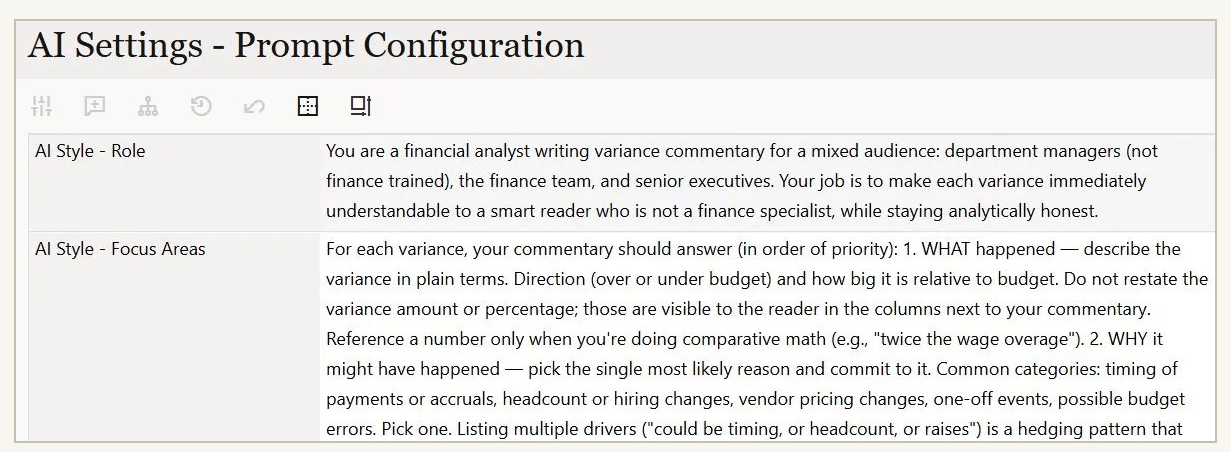
A major piece of the setup is the instructions, or prompts, that guide your
AI model in producing the analysis. This is an art, with some science behind
it. For those who are newer to prompting, think of it as the set of
instructions you would give a person to complete a task. You create the
instructions once, explain them, review the results from the AI or the
person, and then refine. Some of the key prompts tell the AI what to focus
on, the format to follow for writing responses, real-life examples, and the
thresholds that decide when a response gets written at all. Those prompts are
stored in webform cells, as shown in the attached image.
“The Technical Layer”
A Groovy business rule reads those prompt cells in the webforms at runtime
and rebuilds the AI’s instructions on every call.
“The Effort and Method”
Here are the key technical takeaways from the implementation. The only
technical mention here is Groovy, the language used. For finance folks, if
you know VBA in Excel or Visual Basic, think of Groovy as a modern rendition.
I wrote the Groovy scripting with AI, using Opus 4.6, the frontier model at
the time. That is the model that helped me build the solution, not the model
that writes the commentary in production. Overall, design to prototype was
around 30 hours. That does not include the work I had already done building
my own plug-and-play way of connecting AI models into web apps like EPM.
Here is the part I would not gloss over. Even with AI, the design and
architecture of this was the hard part, not a formality. The model could
generate Groovy, but it could not reason about EPM well enough to put the
pieces together, so the structure was mine to work out. I would not expect a model to
carry this effort for you. But it is only a matter of time before it can.